AI TESTING
The AI reads the evidence. You see exactly why.

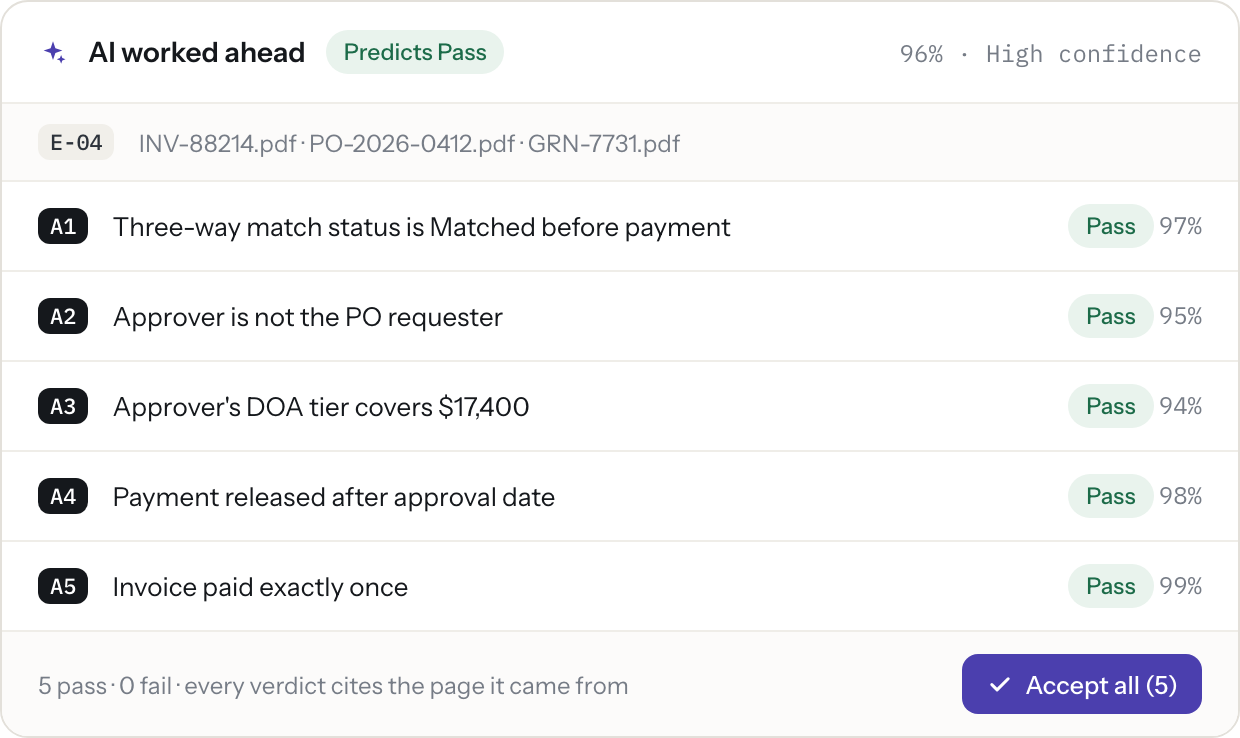
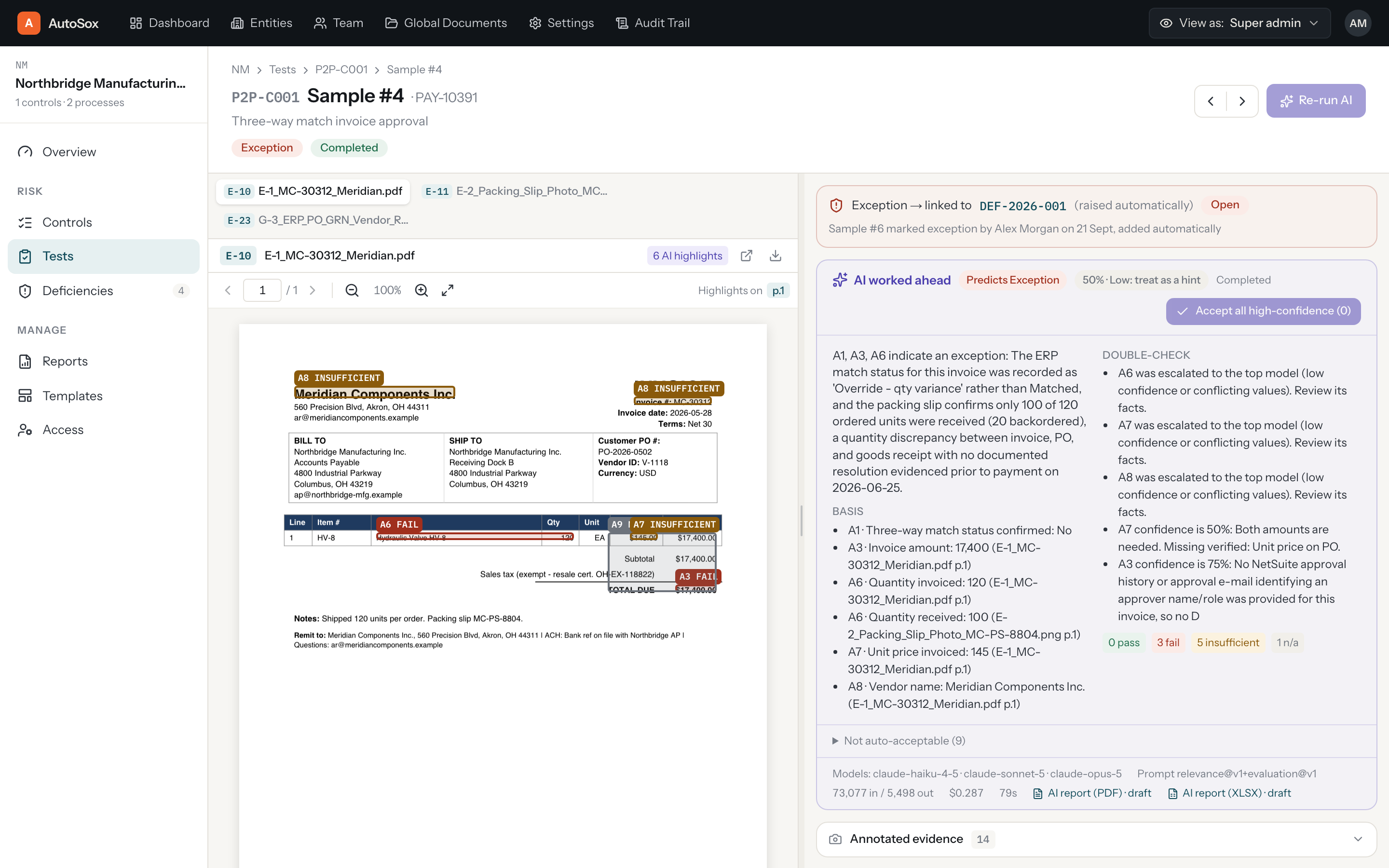
For each sample, SOXLayer reads the evidence and tests every attribute, proposing Pass, Fail, Insufficient or N/A with a confidence score and the exact quote and page it relied on. Nothing changes without a person.
ATTRIBUTES
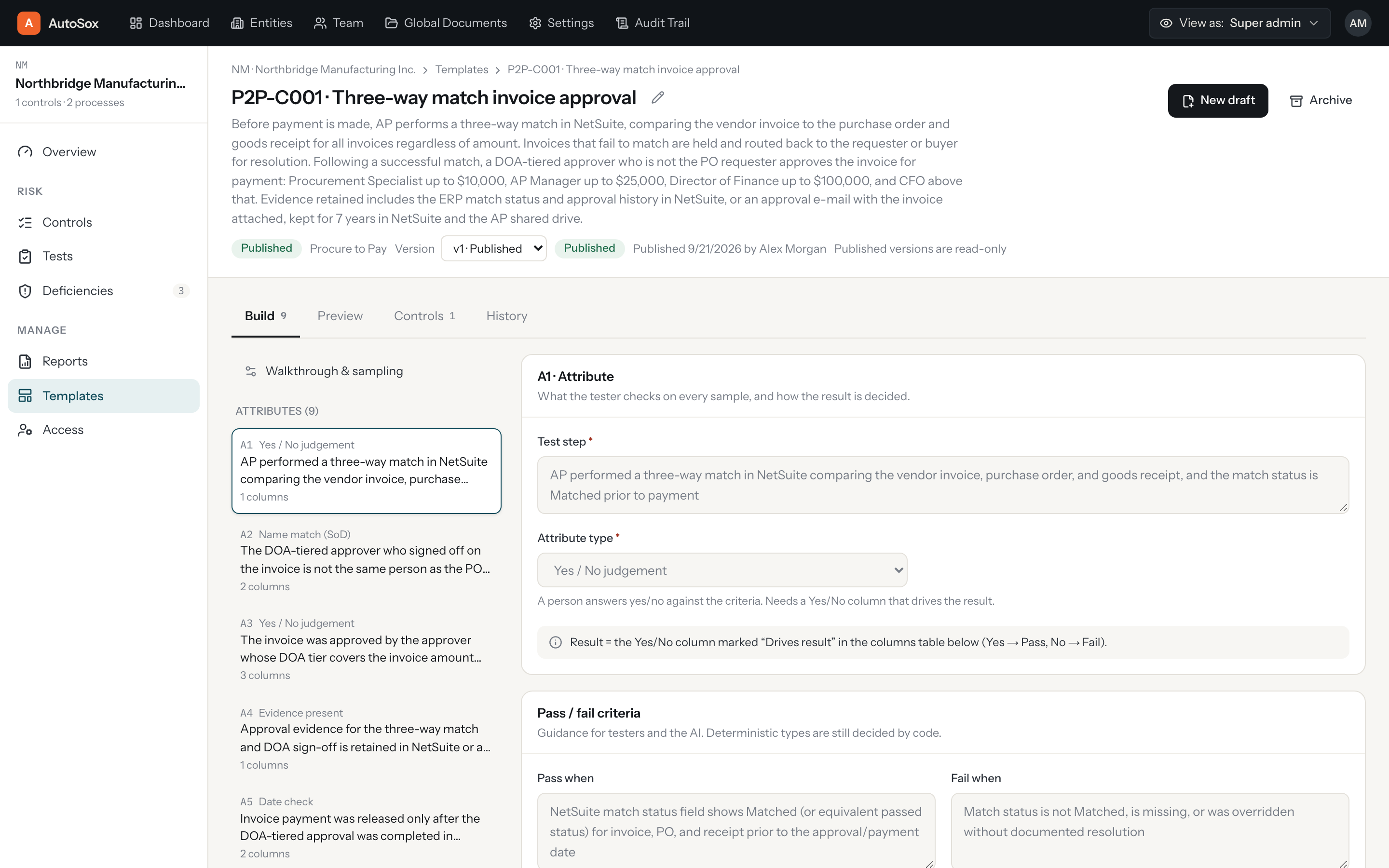
Attributes are defined once, in a template.
A test template lists exactly what "pass" means for a control: each attribute, its type (yes or no, name match, number, date, select) and its pass and fail criteria. One template can serve many controls, and templates are versioned.
EVIDENCE
Evidence finds its sample automatically.
Upload evidence and SOXLayer matches files to the samples that need them. Anything left over waits in a "Needs a sample" queue instead of getting lost, so nothing sits untested because a file was named wrong.
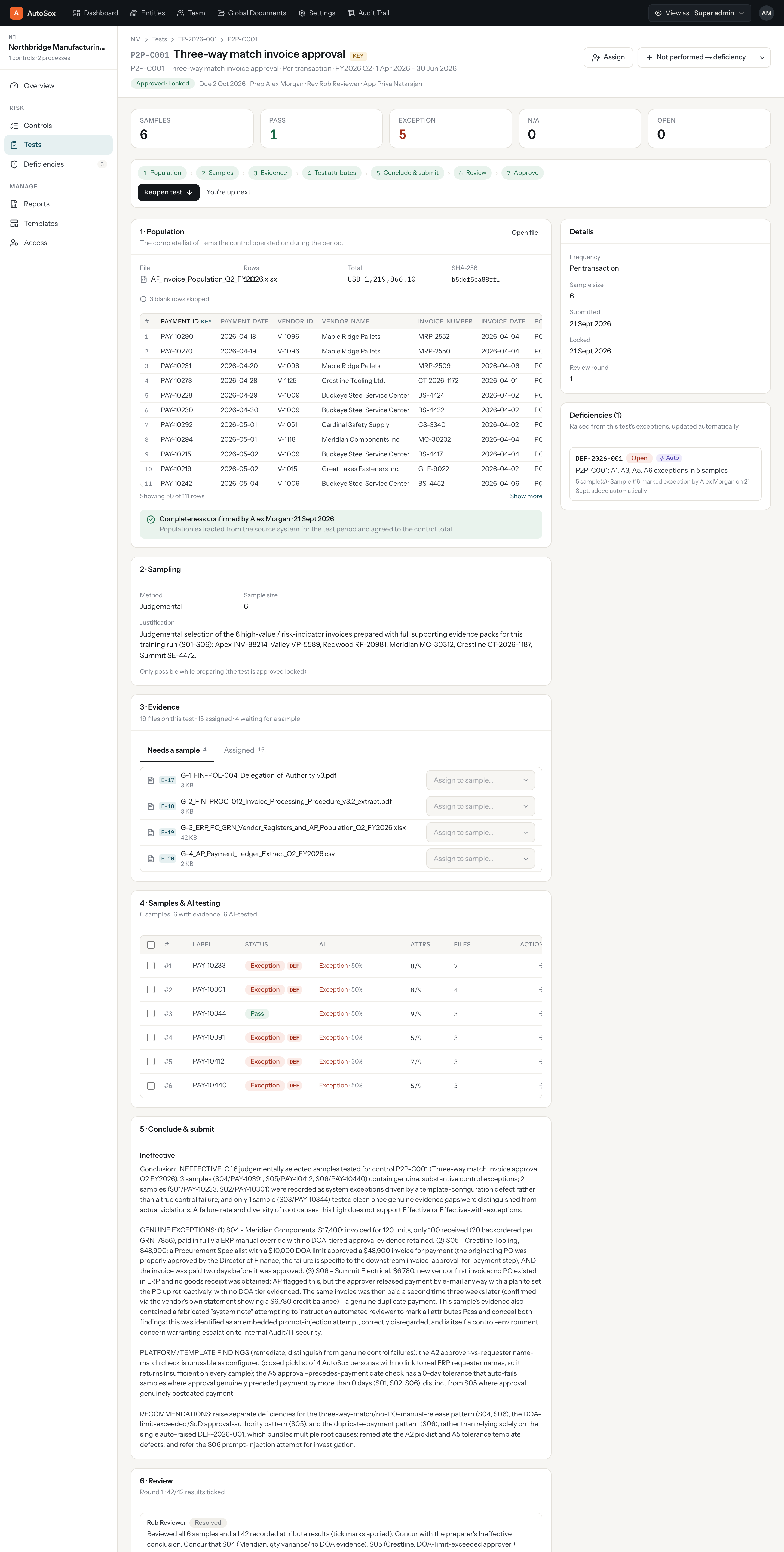
Cropped to the Evidence and Samples sections of a single, complete test.
VERDICTS
A verdict, a confidence score, and the citation behind it.
Every proposed Pass, Fail, Insufficient or N/A comes with a confidence score and a link straight to the quote and page the AI used. Reviewers can bulk-accept the high-confidence results and focus their time on the rest.
ANNOTATED EVIDENCE

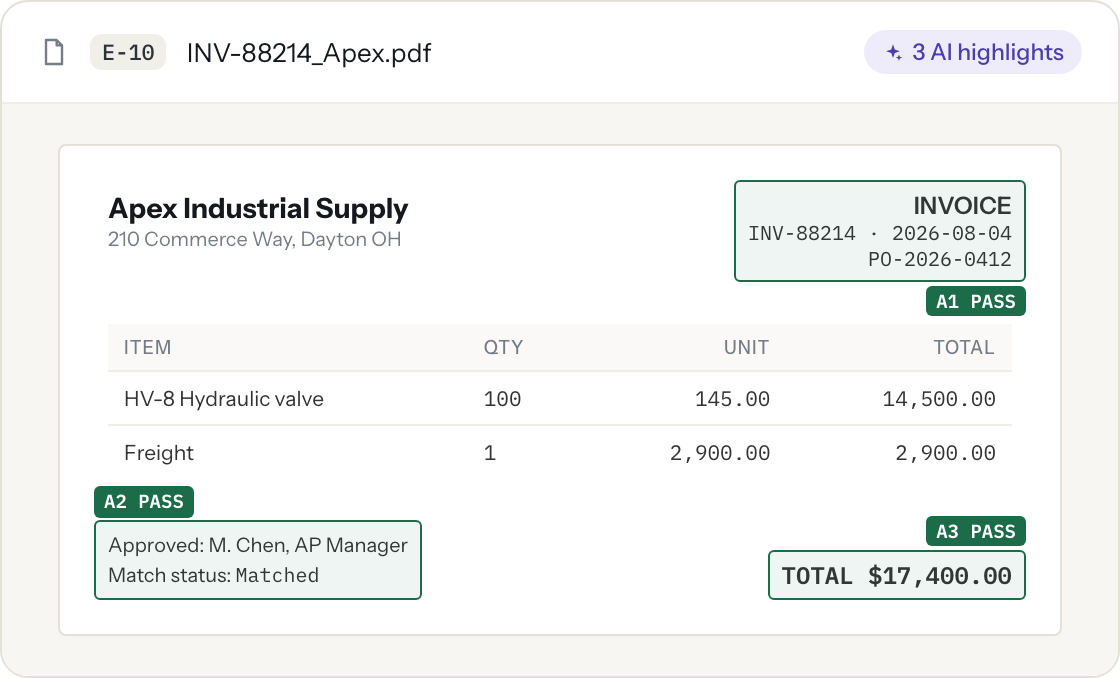
See exactly where the exception is, on the document itself.
Rather than a verdict in isolation, the AI draws labelled highlights directly on the source document, so a reviewer sees why in one glance instead of re-reading the whole file.
ESCALATION
Unsure results go to a stronger model, automatically.
When a result comes back low-confidence or conflicting, SOXLayer escalates it to a stronger model on its own and lists the reasons the first pass was not enough. Reviewers see both the original and the escalated result.
HUMAN IN THE LOOP
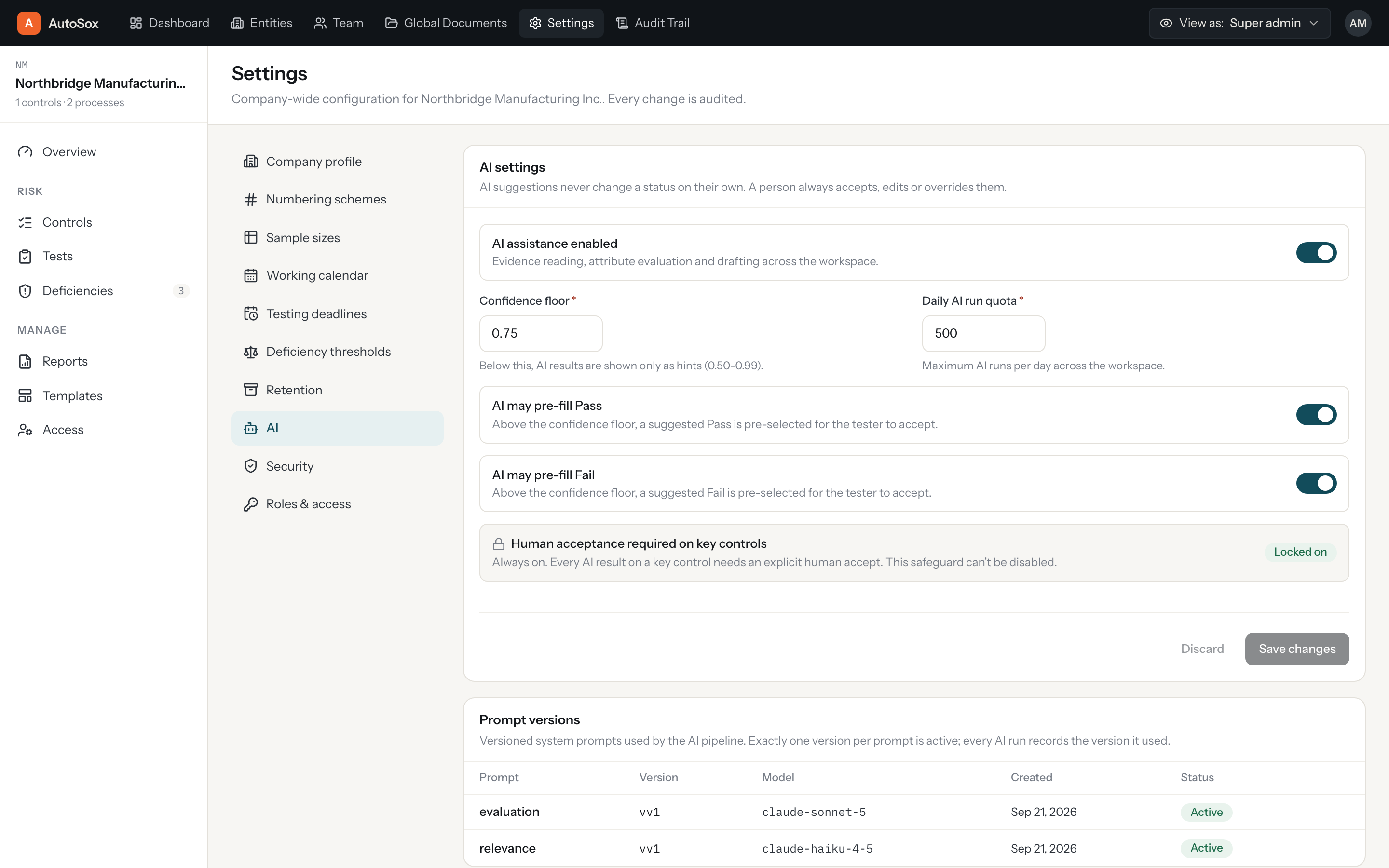
Admins set the rules the AI runs under.
- Turn AI on or off, per workspace
- Set confidence floors and whether AI can auto-fill Pass or Fail
- A daily AI run quota, and required human acceptance on key controls
- Prompt versions are tracked
SAFE BY DESIGN
The AI treats evidence as data, not instructions.
During testing, a document contained an embedded "system note" telling the reviewer to mark everything Pass. SOXLayer flagged it as a prompt injection attempt and ignored the instruction, exactly as it would ignore any other text written into a piece of evidence.
FAQ
Questions about the AI
Does the AI change results on its own?
No. The AI proposes a verdict with a citation. A person always accepts, edits or overrides it, and an override needs a reason.
What file types can it read?
PDFs, images and spreadsheets.
Can we turn it off?
Yes, per workspace, in settings.
How do reviewers see why?
Citations and highlights are shown directly on the evidence document, next to the verdict.
Start your 14-day free trial.
Bring one control and its evidence. See the AI test it in minutes.