
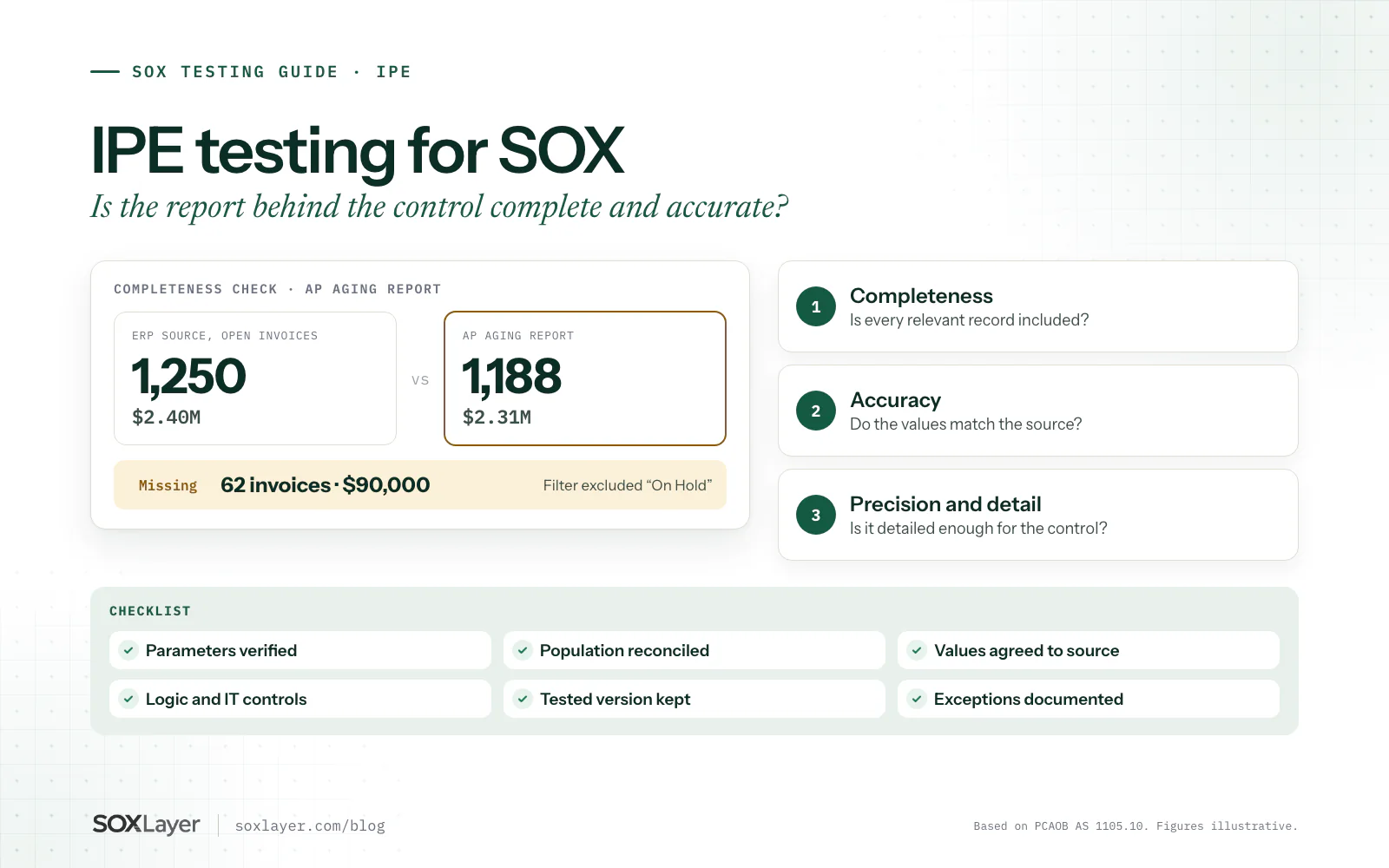
IPE testing for SOX checks whether the reports a control relies on are complete, accurate and detailed enough for the job. A control can be performed perfectly and still miss the risk if the report behind it is wrong. A finance manager can review every line of an accounts payable aging report and sign it off, and if a filter quietly dropped 60 invoices, the review never saw them.
That is the whole point of IPE testing: before you rely on the output of a review, prove the input. This guide explains what IPE means, what PCAOB AS 1105 requires, how to test completeness and accuracy step by step, and what evidence to keep, with a worked accounts payable example.
The short version
- IPE is information produced by the entity: reports, extracts and spreadsheets a control relies on
- Test completeness (every relevant record is there) and accuracy (each value is right)
- Then check the report is precise and detailed enough for the control's purpose
- Prove the parameters, the population and the logic, not just a matching total
- A report that came from the ERP is not reliable just because it came from the ERP
What is IPE in SOX compliance?
IPE stands for information produced by the entity: information the company creates or generates that is used to perform a control or to support testing. PCAOB standards use the related term "information produced by the company". Common examples:
- Accounts payable and accounts receivable aging reports
- Journal entry listings and general ledger reports
- Bank reconciliation schedules
- User access listings
- Inventory and financial close reports
- Custom ERP extracts
- Spreadsheets with financial calculations
These come from ERP systems, accounting applications, databases and spreadsheets. Generating a report does not make it reliable. The tester has to understand whether it holds the right records and represents the underlying data correctly.
Why IPE testing matters for SOX controls
Many controls run on reports: a reviewer checks an exception report, approves a reconciliation or investigates transactions from an extract. If the report is wrong, the control can look like it operated while the risk walks past it.
Take a journal entry review control: a finance manager reviews every manual entry above $50,000, using an ERP report to find them. If the report excludes entries posted by one department, the review never covers the full population. Every signature is genuine, and the control still fails its purpose.
IPE testing catches that. It also makes control testing, ICFR assessments, audit evidence and control documentation more reliable, because the conclusion rests on information someone has actually checked.
What PCAOB AS 1105 says about IPE
PCAOB AS 1105, Audit Evidence, paragraph .10, says that when auditors use information produced by the company as audit evidence, they should evaluate whether it is sufficient and appropriate by:
- Testing the accuracy and completeness of the information, or testing the controls over its accuracy and completeness, including, where applicable, IT general controls and automated application controls
- Evaluating whether the information is sufficiently precise and detailed for the purpose
Those are separate questions. A report can carry accurate amounts and still leave out transactions. It can include every transaction and still calculate a total wrongly. Either one undermines the control that relies on it.
Practical takeaway: do not assume a report is reliable because it came from an ERP system. The right procedures depend on the report, its use, the risks and your testing requirements.
Completeness vs accuracy in IPE testing
| Testing area | What it means | Example question |
|---|---|---|
| Completeness | Every relevant record is included | Does the report hold every transaction that meets the selection criteria? |
| Accuracy | Values correctly reflect the source | Do amounts, dates and account numbers match the underlying records? |
| Precision and detail | Enough detail for the intended use | Can the reviewer see individual transactions and investigate exceptions? |
Completeness testing
Checks that the report holds all relevant information. An accounts payable report should contain every open invoice that meets its criteria. Compare it with a reliable source population, and investigate anything missing.
Accuracy testing
Checks that what is in the report is correct: agree selected amounts to source records, recalculate totals and check formulas.
Precision and detail
A complete, accurate report can still be wrong for the job. If the reviewer must investigate individual invoices above $25,000, a report of department totals does not give enough detail.
Types of IPE used in SOX control testing
Standard system-generated reports
Built into the ERP or accounting application: general ledger reports, trial balances, aging schedules. Testing looks at parameters, underlying data, system logic and the relevant IT controls.
Custom reports
Built for the company, with queries, calculations and filters. Their logic can be changed, so they need extra attention.
Spreadsheet reports
Formulas, linked sheets, imported data, manual adjustments, macros and lookups. Test the formulas, the source data and the risk of unauthorized changes. A file named
AP_aging_FINAL_v4_use_this_one.xlsxis not a control over versions.Reports from several systems
For example, a reconciliation combining ERP data with a payment platform. Consider whether transfers, transformations or integrations affect completeness and accuracy.
Start your 14-day free trial
Bring one control and its evidence. The trial includes 5 AI sample tests and 50 manual ones, no card needed.
How to perform IPE testing for SOX controls
Identify the report the control uses
Start from the control description and the RCM. Record the report name, source system, owner, period, purpose and the control ID it supports.
Understand how the report is generated
Which system produces the data? Standard or custom? Who can run it, with which parameters? Does it filter or calculate? Can users change the logic? Is the export edited afterward? Each answer is a possible source of error.
Verify the report parameters
Reporting date, date range, entity, account, transaction status, currency, department, approval status. A technically accurate report run with the wrong parameters is still the wrong report. A report meant to show all open invoices should not drop disputed ones unless the control says so.
Test completeness
Compare record counts, reconcile control totals, review the filters, and trace items from a reliable source population into the report. Check that the source is complete too: two matching totals prove nothing when both come from the same incomplete data.
Test accuracy
Agree selected records to reliable source information (invoice number, vendor, amount, date, status, account) and recalculate where the report calculates.
Evaluate report logic and IT controls
Queries, calculations and configurations need protecting. Look at access management, change management and automated application controls, and either test the logic directly or rely on tested controls over it, whichever suits the report and its risks.
Document the results
Which report and version, why it matters, the parameters, how completeness and accuracy were tested, the evidence reviewed, any exceptions, and who reviewed and approved the conclusion. The SOX workpaper template has the structure.
Example: IPE testing an accounts payable aging report
A company's finance manager reviews the AP aging report at every month end, investigating overdue invoices and unusual balances. The report comes from the ERP. The figures below are fictional.
| Field | Example |
|---|---|
| Control ID | AP-REV-025 |
| Control name | Monthly AP aging review |
| Frequency | Monthly |
| Report | Accounts payable aging |
| Source system | ERP |
| Main risk | Open liabilities incomplete or misstated |
| IPE objective | Show the report is complete and accurate |
Review the report parameters
The report should include every relevant open invoice at month end. The tester confirms the company, reporting date and invoice statuses selected.
Compare the population
The source data holds 1,250 open invoices totalling $2.40 million. The aging report holds 1,188 totalling $2.31 million. That is 62 invoices and $90,000 missing.
Investigate the difference
A report filter excluded invoices marked "On Hold", which belong in the report under its own criteria. That is a completeness issue.
Evaluate accuracy
Selected report amounts agree to the underlying invoices, so the records that are included are accurate. That does not fix the missing ones.
Assess the control impact
The manager may have reviewed the report perfectly, on incomplete information. The SOX team assesses whether this affects the control's design or operation and whether more testing or remediation is needed; the deficiency classification guide covers the evaluation.
IPE testing checklist for SOX teams
| Testing question | Evidence to consider |
|---|---|
| Is the report linked to a relevant control? | RCM and control description |
| Is the source system identified? | System documentation |
| Are the parameters correct? | Report settings or saved parameter records |
| Is the population complete? | Reconciliation to a reliable source |
| Are the values accurate? | Source records and recalculations |
| Are the formulas or logic appropriate? | Query or formula documentation |
| Are changes controlled? | Change management records |
| Is access restricted? | Access control evidence |
| Is the report detailed enough? | The actual report output |
| Are results and exceptions documented? | The IPE workpaper |
A practical checklist, not a mandatory test program. Adapt it to the control and your methodology.
IPE testing vs SOX control testing
IPE testing asks whether the information a control uses is reliable. Control testing asks whether the control itself is designed and operating effectively. For a monthly journal entry review, IPE testing checks the journal entry report holds the right, accurate transactions; control testing checks the authorized reviewer did the review and followed up on unusual entries.
You need both. A careful review of incomplete data misses the risk, and a reliable report proves nothing about whether anyone reviewed it. Test of design vs test of operating effectiveness covers the control side.
Common IPE testing mistakes
Assuming ERP reports are automatically reliable
ERP systems have configuration errors, wrong filters and custom logic. Test the report, not the system's reputation.
Checking accuracy and ignoring completeness
Agreeing selected amounts to source proves nothing about what was left out. Completeness needs its own test.
Using the wrong parameters
A report for the wrong entity or date gives confidently wrong answers. Keep evidence of the parameters.
Ignoring spreadsheet changes
Manual adjustments and edited formulas change exported reports. Know what happened to the data after extraction.
Overlooking IT dependencies
Changes to report logic, access or configuration affect reliability. Evaluate the relevant IT risks and controls.
Not keeping the tested version
Reports get run several times. Reviewers should be able to tell exactly which version was tested.
Can AI help with IPE testing?
For parts of it. An AI-assisted workflow can read report dates and parameters off the output, extract fields, compare them with supporting documents, flag missing information and organize evidence for review.
What it cannot do on its own is prove the population is complete. A document tool can read every row of a PDF accurately and never know that records were excluded before the PDF was generated. Completeness testing needs a reliable source population, the report logic and parameters, and the controls around them. AI should complement those procedures, not replace them. SOX audit evidence covers what makes evidence reliable more broadly.
How SOXLayer fits into IPE-related control testing
SOXLayer is AI-assisted SOX control testing software. Several parts of it help with IPE, and one important thing it does not do:
- Population on record: a population upload (CSV or Excel) is totalled and SHA-256 fingerprinted before samples are drawn, so the count and total you sampled from are fixed and can be reconciled to the source
- Population checks: fixed rules a person sets up (duplicates, dates, amounts, segregation of duties) run over every row of the uploaded population
- Attribute testing on evidence: the AI proposes Pass, Fail, Insufficient or N/A per attribute, with a confidence score and the exact quote and page, so a reviewer can check a report's date or parameters at the source
- Exceptions and trail: exceptions raise deficiencies automatically, and every decision lands in a hash-chained audit trail
AI never submits, reviews or approves a test. With auto-fill on, it can record a result it is at least 90% sure of, with a verified citation, while the test is still being prepared. Anything flagged, disputed or Insufficient waits for a person, and admins can switch auto-fill off so every result waits. Until the test is submitted, a person can accept, edit or override any result, auto-filled ones included, and an override needs a reason.
What it does not do: SOXLayer reads the documents and populations you give it. It does not log into your ERP or validate a report's query logic or source data. Your IPE procedures, reconciling the report to a reliable source and testing the logic or the controls over it, still have to happen; SOXLayer helps you record and evidence them.
Best practices for managing IPE across a SOX program
- Keep a report inventory. List the key reports, and link each to its controls and system
- Standardize report documentation. Name, purpose, source, parameters, owner and version for each report
- Review report changes. Check whether logic, access or configuration changed during the period, and whether that affects earlier conclusions
- Avoid duplicate testing where it is safe. One validated report can support several controls, as long as the validation covers the versions, parameters, periods and uses involved
- Keep evidence traceable. Link each result to the source information behind it
- Reassess when processes change. System migrations and new integrations create new IPE risk
Key takeaways
- IPE testing proves the reports behind a control are complete, accurate and detailed enough
- AS 1105.10 asks for accuracy and completeness testing, or tested controls over them, plus a precision check
- Completeness and accuracy are separate tests: a report can pass one and fail the other
- Verify parameters, reconcile to a reliable source population, and understand the logic
- Document the report version, parameters, procedures, evidence and exceptions
- Document-reading AI cannot prove completeness on its own; reconcile to the source
Common questions about IPE testing for SOX
What does IPE stand for in SOX?
Information produced by the entity: information an organization creates or generates and uses in its controls or testing.
What is IPE testing for SOX?
Evaluating whether the reports and information used in SOX controls are complete, accurate and suitable for their intended purpose.
What is the difference between IPE accuracy and completeness?
Accuracy checks that the values in the report are correct. Completeness checks that every relevant record is included. You need both.
Does every system-generated report need IPE testing?
Not the same procedures for every report. Identify the information your controls and testing rely on, assess the risk, and choose a validation approach that fits.
Is IPE testing part of ITGC testing?
Related, not identical. IT general controls support the reliability of systems and reports. IPE testing asks whether a particular report is complete, accurate and detailed enough for its specific use.
Can a report pass accuracy testing but fail completeness testing?
Yes. The amounts on the included transactions can be right while other relevant records are missing, as in the AP aging example above.
Can AI automate IPE testing?
AI can assist with extraction, comparison and documentation. Full IPE validation still needs source-system checks, report logic or control testing, and human judgment.
What evidence should an IPE workpaper include?
The report and version, source system, parameters, procedures, validation evidence, exceptions and the conclusion, with who reviewed it.
Sources and further reading
- PCAOB AS 1105, Audit Evidence: paragraph .10 on using information produced by the company
- PCAOB AS 2201, An Audit of Internal Control Over Financial Reporting: testing controls in an ICFR audit
- SOX sampling guidance: defining a complete population before you sample from it
A reliable conclusion needs reliable information. Check the report before you trust the review.
Read these next
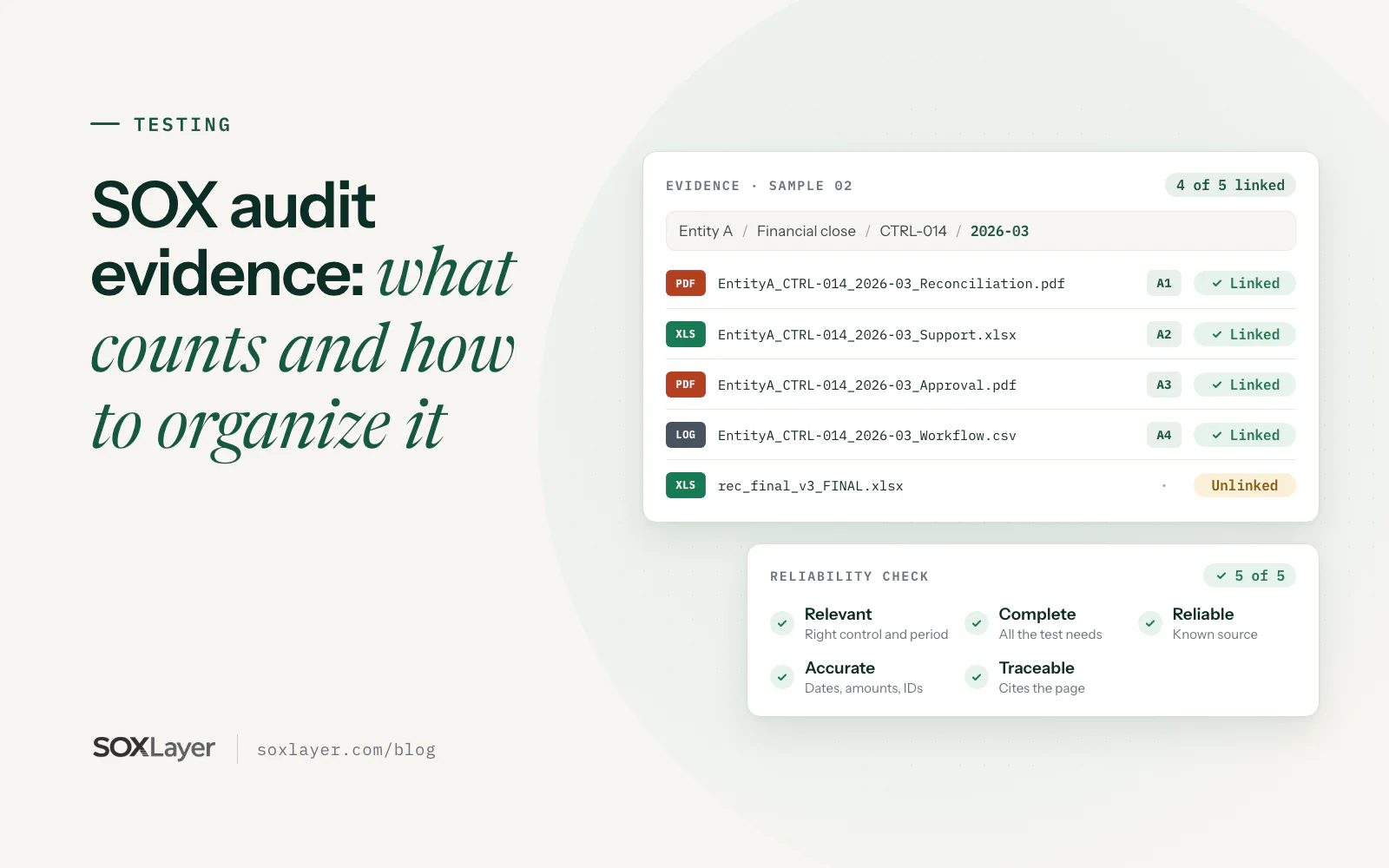
SOX audit evidence: what counts and how to organize it
Six common evidence types, five checks that make evidence reliable, an eight-step way to organize it by control and period, and a worked journal entry approval example.
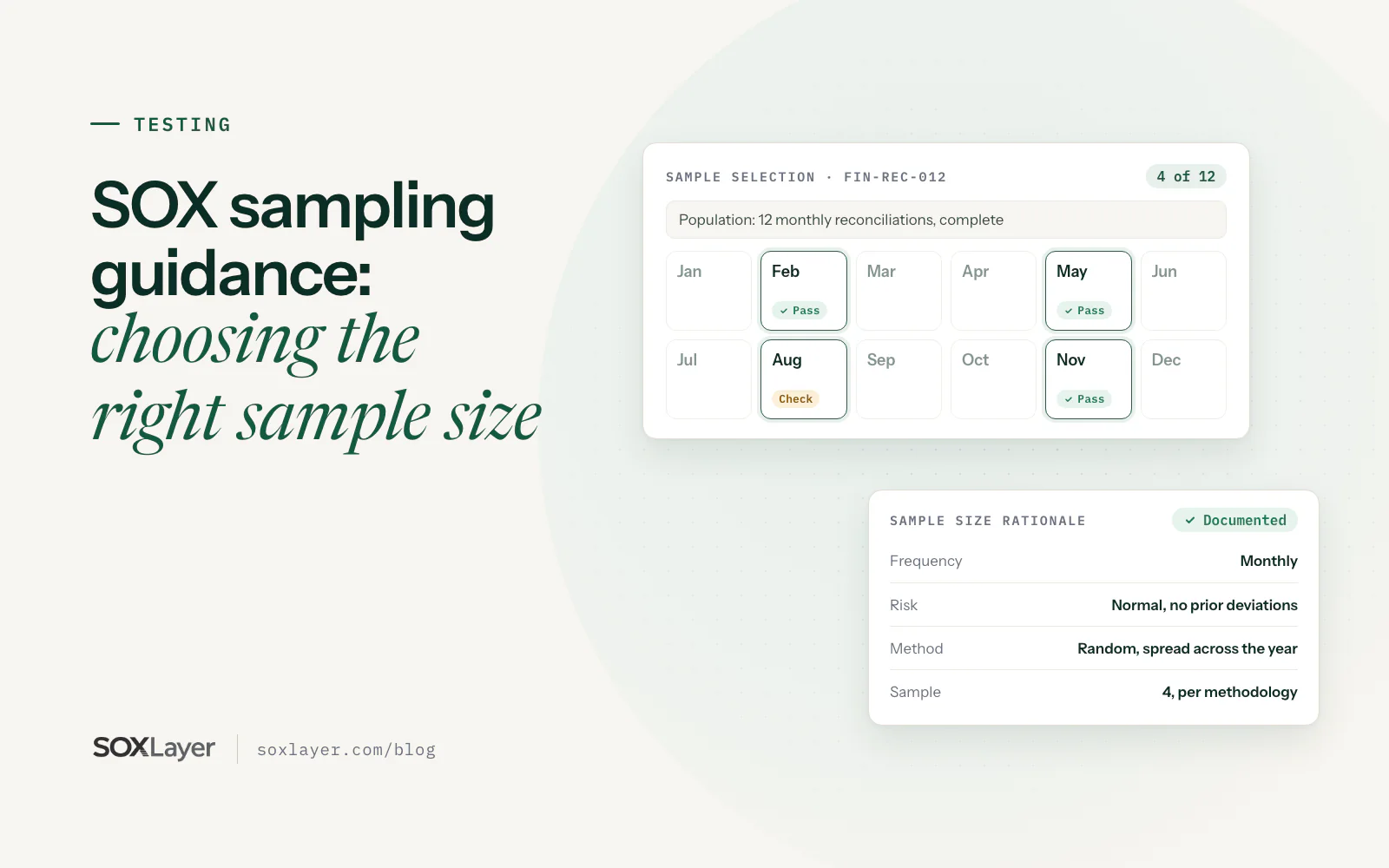
SOX sampling guidance: how to choose the right sample size for control testing
Define a complete population, choose an audit sampling method, weigh the AS 2315 factors, handle a failed sample and document the rationale, with a monthly reconciliation worked through.